


“Ergonomic” is everywhere. Then what makes a chair truly ergonomic?
On $120 Amazon chairs.
On plush executive seats.
On high-end designer models.
But here’s the uncomfortable truth:
Most chairs labeled ergonomic… aren’t.
If you sit 6–10 hours a day, marketing language doesn’t matter. Structure does.
So what actually makes a chair ergonomic?
Let’s break it down clearly without hype.
What Does “Ergonomic” Really Mean?
Ergonomics is the science of designing equipment to fit the human body and reduce strain.
The Occupational Safety and Health Administration (OSHA) explains that workstation seating should promote neutral posture and reduce musculoskeletal stress during prolonged computer use.
In simple terms:
A truly ergonomic chair adapts to your body.
It doesn’t force your body to adapt to it.
The 7 Features That Actually Matter
If a chair lacks several of these, it’s probably just comfortable not ergonomic.
1️⃣ Adjustable Seat Height (Baseline Requirement)
Your feet should rest flat on the floor.
Your knees should sit around 90–100 degrees.
If the chair doesn’t adjust easily within your range, posture collapses immediately.
Non-adjustable chairs are automatically disqualified.
2️⃣ Adjustable Lumbar Support
Your lower back naturally curves inward.
Without lumbar support, you slouch especially after hour three.
The National Institute for Occupational Safety and Health (NIOSH) highlights lumbar support as a key factor in reducing lower back strain during prolonged sitting.
Look for:
- Height-adjustable lumbar
- Depth-adjustable lumbar (ideal)
A fixed bump in the backrest is not enough.
3️⃣ Seat Depth Adjustment
This is where many chairs fail.
When seated fully back:
You should have 2–3 finger widths between the back of your knees and the seat edge.
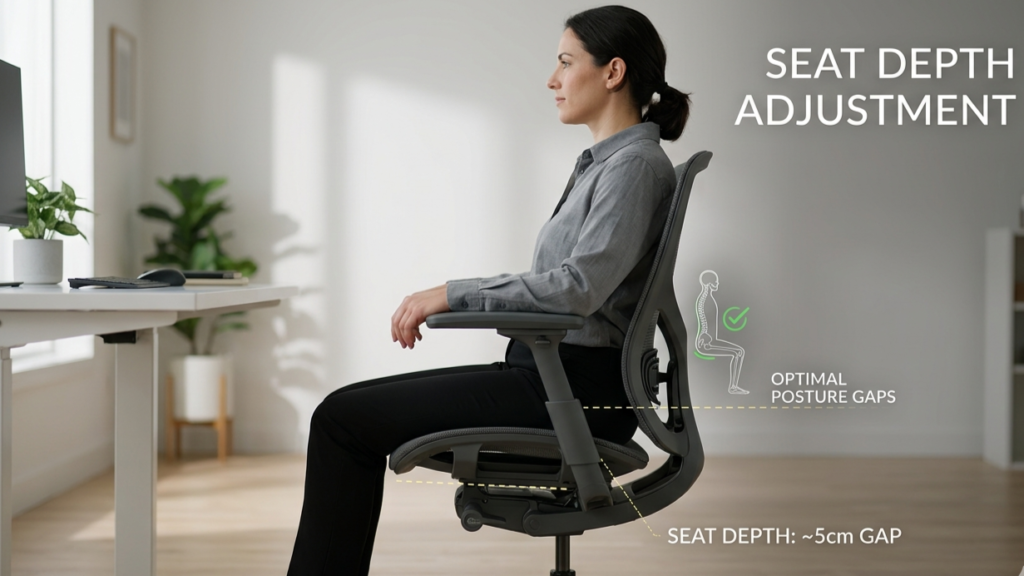
Too deep → You perch forward.
Too shallow → You lose thigh support.
Seat depth matters, especially for taller and shorter users.
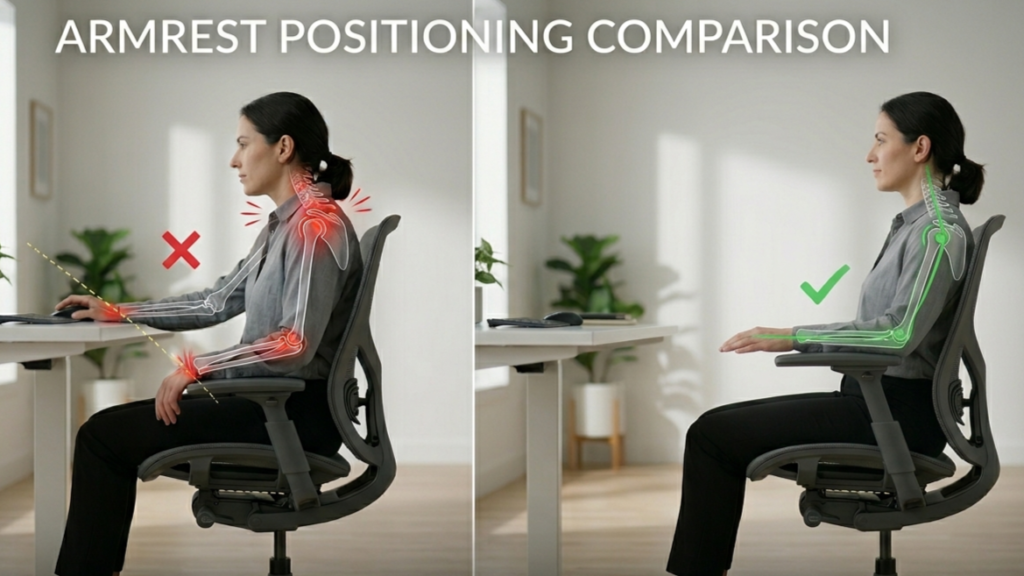
4️⃣ Adjustable Armrests (Ideally 4D)
Armrests affect shoulder tension more than most people realize.
They should adjust:
- Up/down
- In/out
- Forward/back
- Angle (if possible)
If they’re too high, shoulders elevate.
Too low, you slump.
Subtle tension in shoulders often becomes wrist or neck pain later.
5️⃣ Recline with Tension Control
Static sitting increases fatigue.
The CDC emphasizes that prolonged static posture contributes to discomfort.
A good ergonomic chair allows:
- Smooth recline
- Adjustable resistance
- Lock positions
Micro-movement keeps spinal load distributed.
6️⃣ Quality Seat Cushion or Mesh Support
Material matters less than structure.
High-density foam:
- Holds shape
- Distributes pressure
- Breathable
- Maintains tension
- No foam compression
Research indexed in PubMed shows sustained pressure and poor posture contribute to musculoskeletal stress.
A flattened cushion changes posture mechanics.
7️⃣ Backrest Height & Upper Support
Mid-back chairs can work.
High-back designs are better for long sessions and recline support.
But height alone doesn’t equal ergonomics.
Adjustability does.
What Does NOT Make a Chair Ergonomic?
Let’s clear this up.
❌ Leather material
❌ Thick padding
❌ Executive styling
❌ Headrest alone
❌ High price
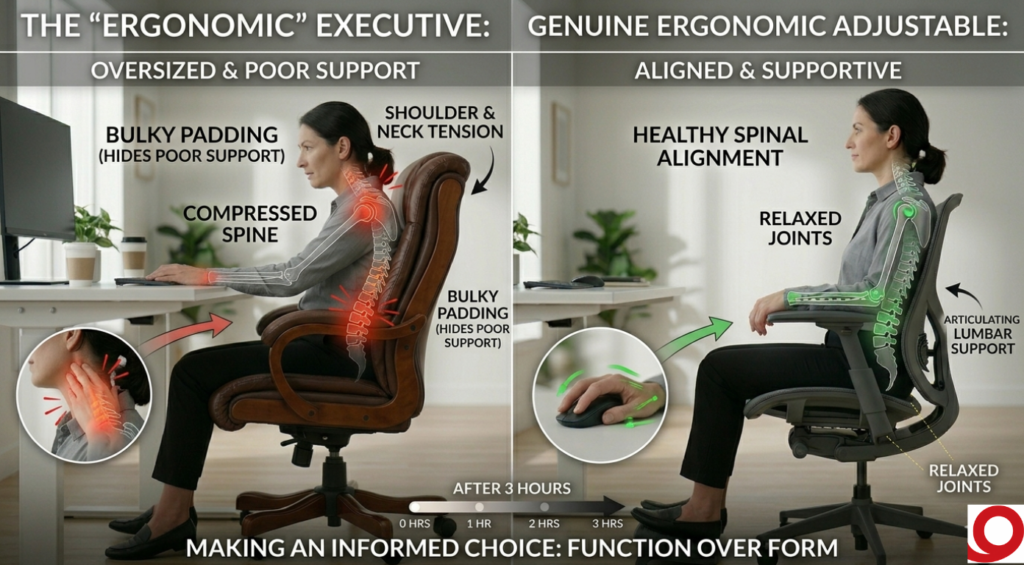
You can spend $1,000 on a poorly engineered chair.
You can spend $600 on one built around posture science.
Label ≠ function.
Examples of Structurally Ergonomic Chairs
These examples are included to show structural benchmarks — not to imply one-size-fits-all.
🔹 Herman Miller Aeron
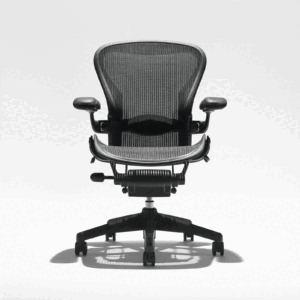
- Multiple size options
- Adjustable lumbar
- High-tension mesh
- Dynamic recline
A structure-first design.
🔹 Steelcase Leap
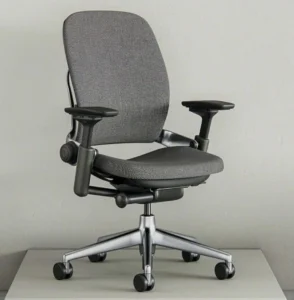
- Adjustable lumbar depth
- Seat depth adjustment
- Flexible backrest
- Excellent armrests
Designed for long daily use.
🔹 Branch Ergonomic Chair
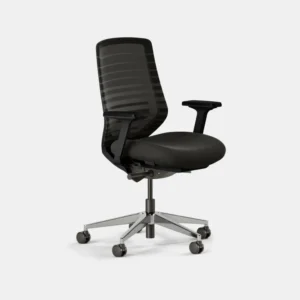
- Adjustable lumbar
- Seat depth control
- Solid mid-range engineering
More budget-accessible without sacrificing fundamentals.
The 5-Minute Ergonomic Test
When trying a chair, ask:
☐ Does lumbar hit the curve of my lower back?
☐ Can I adjust seat depth?
☐ Are my feet flat on the floor?
☐ Do my shoulders feel relaxed?
☐ Can I recline without resistance?
☐ Does the cushion feel supportive not just soft?
If several answers are “no,” it’s likely not truly ergonomic.
Comfort vs Ergonomics (Important Distinction)
Comfort is immediate.
Ergonomics is cumulative.
A soft chair may feel great for 15 minutes.
A structured chair feels better at hour six.
From experience, most buyers choose softness first then realize months later that posture support matters more.
Why Ergonomics Matters Long-Term
NIOSH notes that poorly designed workstations contribute to musculoskeletal disorders over time.
An ergonomic chair reduces strain by:
- Supporting spinal alignment
- Allowing micro-movement
- Reducing shoulder elevation
- Maintaining neutral hip position
It doesn’t force posture.
It supports it.
Final Buying Framework
Before choosing mesh vs leather, brand, or style:
Prioritize:
- Adjustability
- Lumbar performance
- Seat depth
- Recline system
- Armrest movement
- Material preference
Structure first.
Surface second.
FAQ
What defines an ergonomic chair?
An ergonomic chair includes adjustable seat height, lumbar support, seat depth, armrests, and recline mechanisms that promote neutral posture alignment.
Is lumbar support necessary?
Yes. Adjustable lumbar support helps maintain the spine’s natural curve during prolonged sitting.
Are expensive chairs automatically ergonomic?
No. Price does not guarantee adjustability or proper ergonomic design.
Does material affect ergonomics?
Material affects comfort and airflow, but adjustability and structural support determine ergonomic quality.