


If you work remotely, your mouse probably gets more daily use than you realize.
Emails.
Spreadsheets.
Design work.
Scrolling through documents.
Zoom controls.
Slack messages.
It adds up fast.
By 3 or 4 PM, you might notice:
- A dull ache in your wrist
- Tightness in your forearm
- Subtle tingling in your fingers
That’s when the vertical mouse vs regular mouse question usually comes up.
Is it actually better?
Or just another ergonomic trend?
Let’s break it down specifically for remote workers spending 6–10 hours at a desk.
Why Remote Workers Are More Prone to Wrist Strain

In traditional offices, movement is built in.
At home, you may:
- Sit longer without walking
- Use smaller desks
- Work from laptops
- Skip armrest alignment
The NIH explains that sustained awkward wrist positioning contributes to repetitive strain and carpal tunnel–related symptoms.
The issue isn’t just mouse use.
It’s repetitive movement + wrist angle + duration.
Regular Mouse: What Happens Biomechanically?
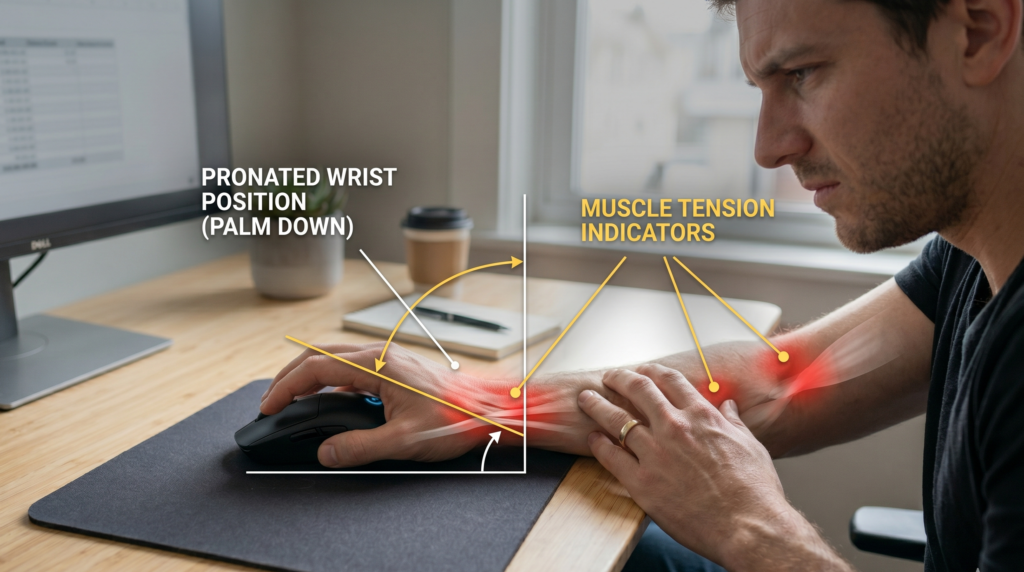
A traditional mouse requires your forearm to rotate downward, a position called pronation.
That means:
- Palm faces downward
- Forearm bones cross slightly
- Wrist often extends upward
For short sessions? Usually fine.
For 8-hour remote workdays? That position can fatigue forearm muscles over time.
Harvard Health notes that repetitive strain conditions often develop from sustained awkward positioning rather than single movements.
Vertical Mouse: What Changes?
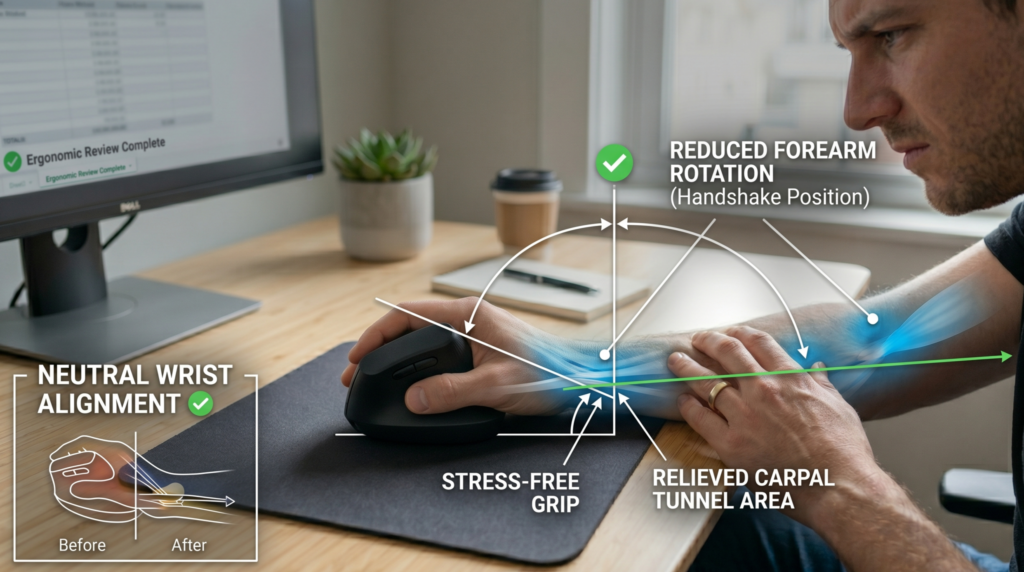
A vertical mouse rotates your hand into a handshake position.
That reduces forearm pronation.
Instead of twisting downward, your hand rests more neutrally.
This may:
- Reduce forearm muscle activation
- Decrease wrist extension
- Encourage a straighter wrist alignment
The goal isn’t magic.
It’s mechanical efficiency.
What Research Suggests
The Canadian Centre for Occupational Health and Safety emphasizes maintaining neutral wrist alignment during computer work.
Neutral wrist posture means:
- No upward bend
- No sideways deviation
- Minimal rotational strain
Vertical mice are designed around that principle.
That doesn’t automatically make them superior for everyone but for heavy mouse users, they often feel noticeably different within days.
Real-World Remote Worker Experience
Here’s what typically happens:
Week 1
Feels awkward.
Your hand isn’t used to the angle.
Week 2
Movement becomes natural.
Forearm tension may feel reduced.
Week 3
You stop thinking about it.
Most remote workers who switch say the adjustment period is short usually 5–10 working days.
When a Vertical Mouse Makes Sense
You may benefit if:
- You feel wrist soreness by afternoon
- You use a mouse 5+ hours daily
- You experience forearm tightness
- You’ve had mild repetitive strain symptoms
If you barely use a mouse (mostly keyboard shortcuts or trackpad), the benefit may be minimal.
Recommended Vertical Mouse Options
Logitech MX Vertical (Premium Wireless)
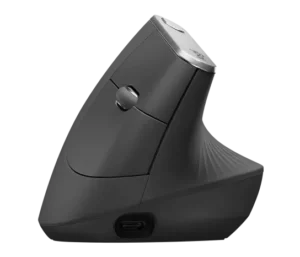
Why remote workers like it:
- Comfortable grip
- Adjustable DPI
- Bluetooth + USB connectivity
- Strong build quality
Best for:
Full-time remote professionals wanting long-session comfort.
Anker Ergonomic Vertical Mouse (Budget-Friendly)
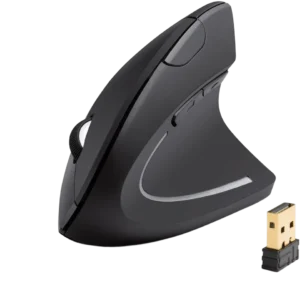
Why it works:
- Affordable
- Simple plug-and-play
- Good entry point
Best for:
Trying vertical design without large investment.
When a Regular Mouse Is Still Fine
A traditional mouse isn’t automatically bad.
It works well if:
- Your wrist stays neutral
- Desk height is correct
- Armrests support forearms
- You take regular breaks
The UK Health and Safety Executive stresses workstation adjustment and posture variation over single-device fixes.
Sometimes the issue isn’t the mouse.
It’s desk height.
Remote Setup Matters More Than Mouse Type
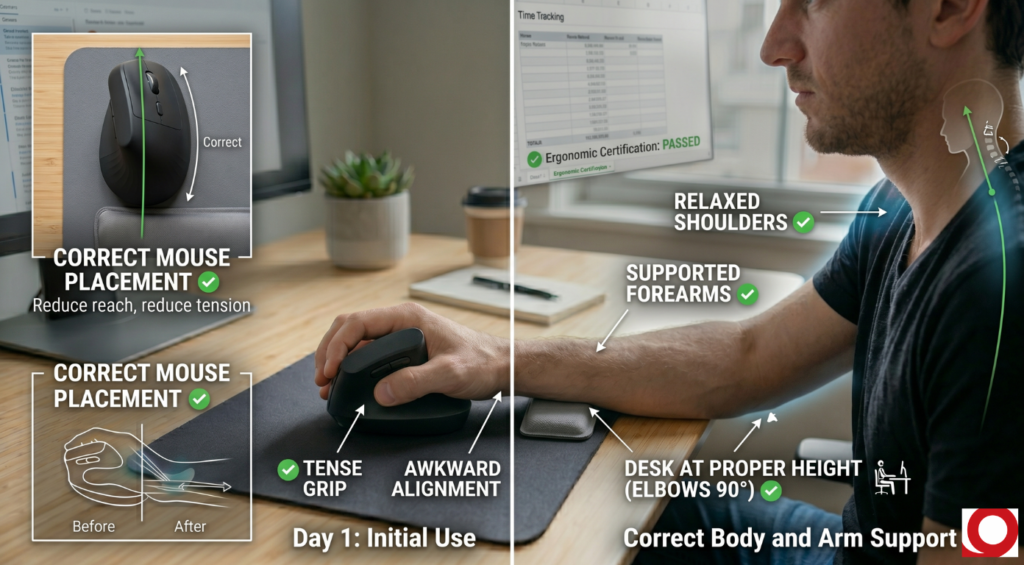
Before switching devices, check:
- Are elbows at 90 degrees?
- Are shoulders relaxed?
- Is your mouse too far from your body?
- Is your desk too high?
If your forearm floats without support, even a vertical mouse won’t fix it.
Vertical Mouse vs Regular Mouse: Side-by-Side
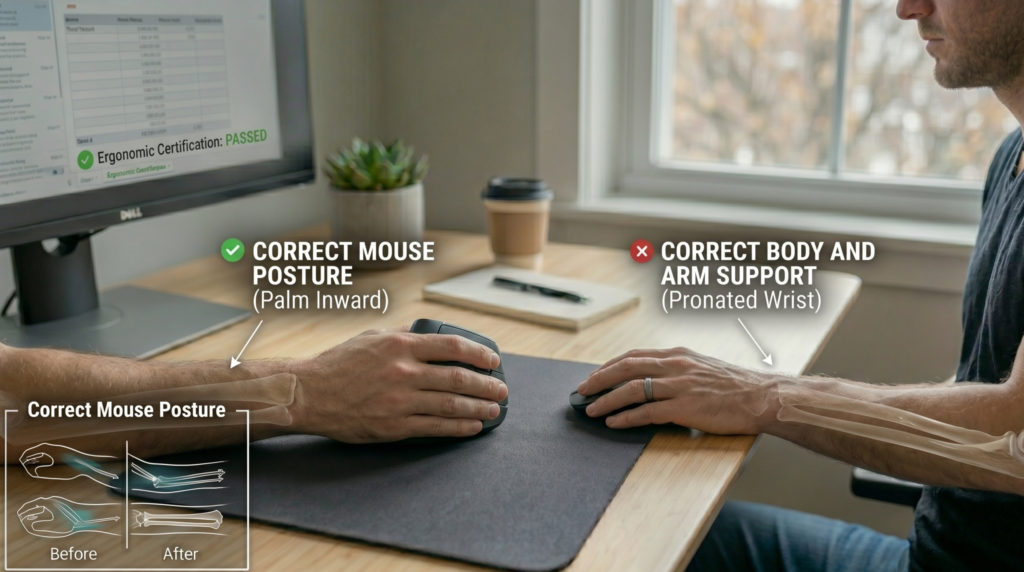
| Factor | Regular Mouse | Vertical Mouse |
| Wrist angle | Palm-down | Handshake position |
| Forearm rotation | Pronated | Neutral |
| Adjustment period | None | 5–10 days |
| Learning curve | Familiar | Mild |
| Best for heavy mouse users | Sometimes | Often |
There’s no universal winner.
There’s a better fit based on usage patterns.
The 4 PM Test
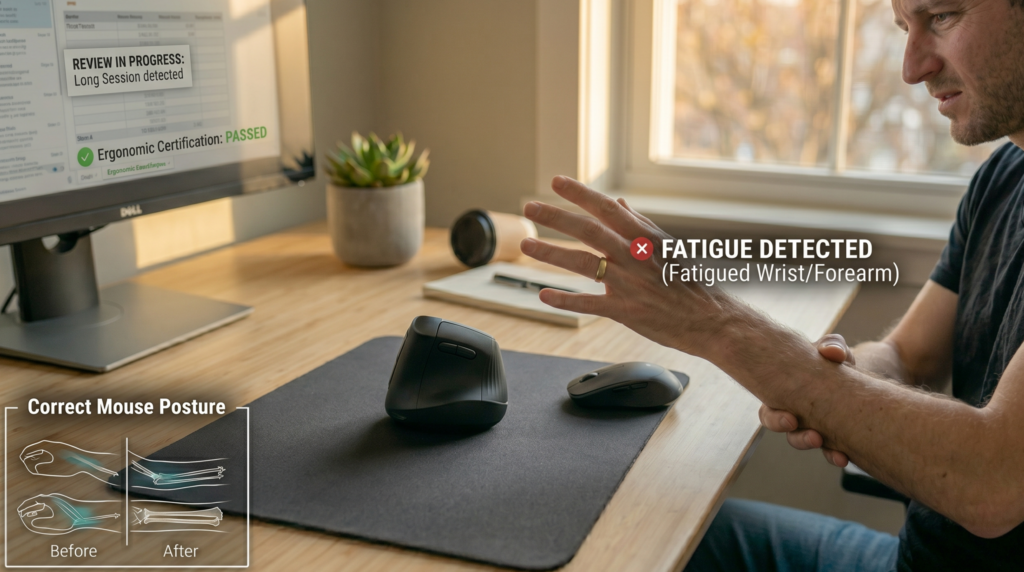
By late afternoon:
- Does your wrist feel compressed?
- Does your forearm feel tight?
- Do you shake out your hand occasionally?
If yes, vertical may be worth testing.
If no discomfort exists, changing may not add noticeable benefit.
One More Consideration: Trackpads
Some remote workers rely heavily on laptop trackpads.
Trackpads often require more finger extension and repetitive small motions.
If you’re using a trackpad 6–8 hours daily, upgrading to any external mouse (vertical or regular) may help reduce strain.
Final Recommendation Framework
Choose a vertical mouse if:
- You use a mouse heavily
- You feel wrist or forearm strain
- You want improved neutral alignment
Stick with a regular mouse if:
- You feel no discomfort
- Your setup is already well-aligned
- You prefer familiar movement
For most heavy-use remote workers, vertical mice tend to feel more comfortable over long sessions once adjusted.
FAQ
Is a vertical mouse better for remote workers?
It can be, especially for individuals experiencing wrist or forearm strain from prolonged mouse use.
How long does it take to adjust to a vertical mouse?
Most users adapt within 5–10 working days.
Can a vertical mouse prevent carpal tunnel?
It may promote more neutral wrist positioning, but overall workstation setup and movement habits also play major roles.
Do vertical mice improve productivity?
Comfort improvements may support longer focus sessions, though productivity gains vary by user.