


Most people don’t start the day slouched.
At 9 a.m., you’re upright. Focused. Maybe even disciplined about posture.
By 11? You’re leaning toward the screen.
By 2? You’ve slid forward in your chair.
By 4? Your lower back feels tight and your neck stiff.
Knowing how to sit properly at a desk is one of the simplest ways to reduce neck, shoulder, and lower back strain during long workdays. Small ergonomic adjustments can improve posture, reduce fatigue, and help prevent discomfort before it starts.
Let’s walk through this step by step.
Why Proper Sitting Posture Matters
Before we adjust anything, here’s the bigger picture.
Prolonged sitting increases spinal compression and reduces muscle activation. Over time, this contributes to musculoskeletal discomfort and metabolic slowdown.
The CDC outlines the risks of extended sedentary behavior and emphasizes the importance of regular movement throughout the day.
Sitting itself isn’t inherently harmful; sitting without movement is.
Step 1: Adjust Your Chair Height
This is foundational.
Your goal:
Hips slightly higher than knees.
When knees sit higher than hips, the pelvis rolls backward. That flattens the lumbar curve and increases disc pressure.
According to OSHA’s official Computer Workstation eTool, proper chair height is one of the most important factors in maintaining neutral spinal alignment.
Quick adjustment checklist:
- Feet flat on the floor
- Knees around 90–100°
- Hips slightly above knee level
If your chair can’t raise high enough and your feet dangle, use a footrest.
Small adjustment. Major difference.
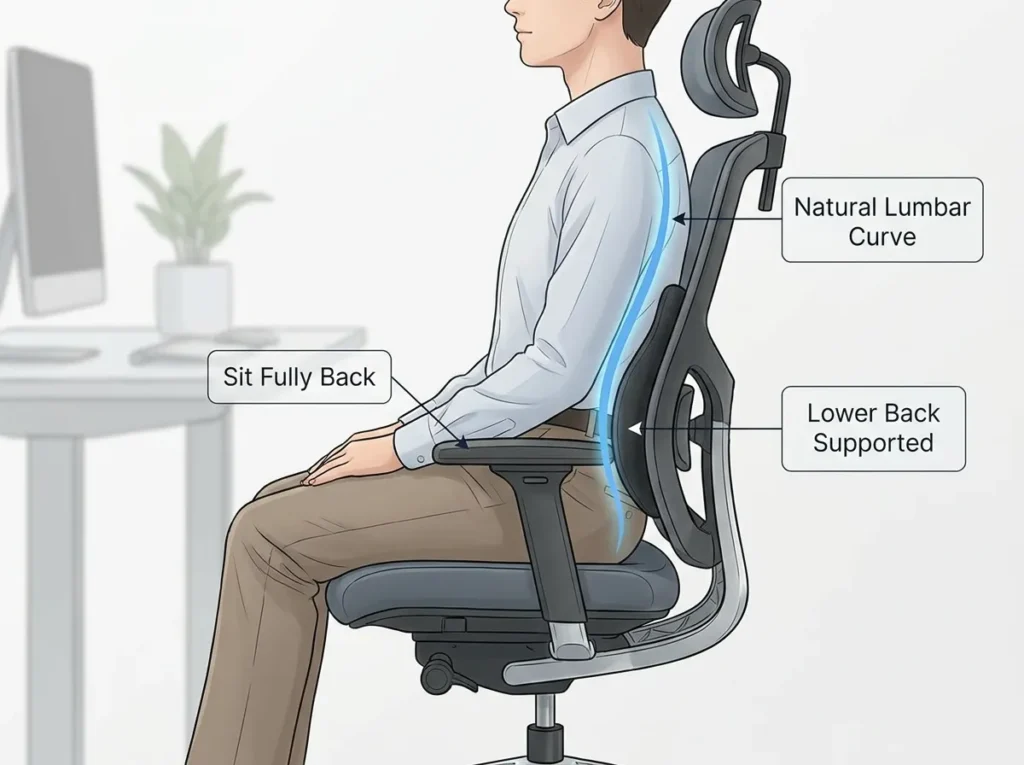
Step 2: Sit Fully Back in the Chair
Most people perch without realizing it.
Slide your hips all the way back until your lower spine contacts the backrest.
Now check seat depth.
You should have:
Two to three finger widths
between the seat edge and the back of your knees.
Too deep → You slide forward.
Too shallow → You lose thigh support.
Both increase lumbar strain.
Step 3: Support the Lumbar Curve
Your lower spine has a natural inward curve.
You don’t need to exaggerate it just support it.
Quick test:
Relax slightly.
Does your lower back lose contact with the chair?
If yes, lumbar support is insufficient.
Research archived in PubMed has repeatedly shown that seated spinal load increases when lumbar support is absent or poorly positioned.
Proper lumbar support reduces muscular overcompensation and sustained disc pressure.
Support prevents fatigue.
Step 4: Recline Slightly (Not 90 Degrees)
Many people assume perfectly upright is ideal.
It’s not.
Biomechanical research indicates that slight recline (around 100–110 degrees) reduces lumbar disc pressure compared to rigid 90-degree sittingfindings commonly cited in spinal load studies indexed in PubMed.
Lean back slightly.
Let the chair support your torso.
Rigid posture all day is exhausting.
Supported posture is sustainable.
Step 5: Adjust Armrests Properly
Look at your shoulders.
Are they creeping upward?
Armrests too high → shoulder elevation → upper back tension.
Too low → forward lean → spinal strain.
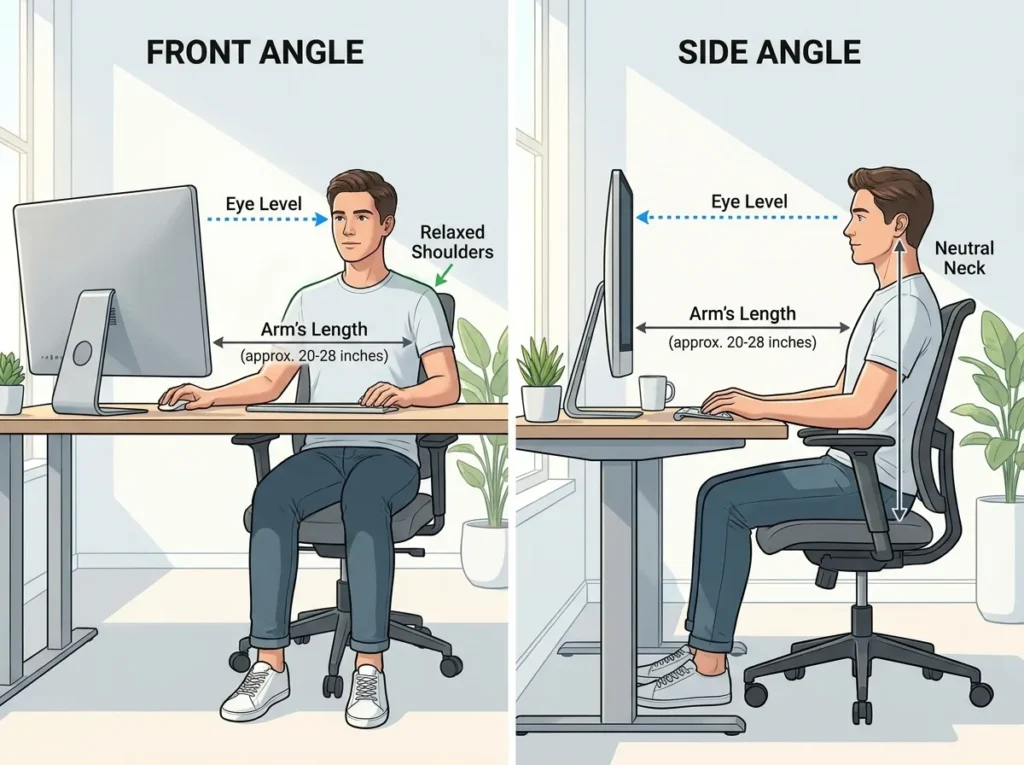
Elbows should rest comfortably at 90–100 degrees.
Shoulders relaxed.
Wrists neutral.
Step 6: Position Your Monitor Correctly
Monitor placement quietly sabotages posture.
Ideal position:
- Top of screen at eye level
- About arm’s length away
- Directly in front of you
If the monitor is too low, you lean forward.
Forward head posture increases spinal load not just in the neck, but through the entire spine.
The National Institute for Occupational Safety and Health (NIOSH) provides workplace ergonomics guidance supporting neutral alignment principles.
Small monitor adjustments often reduce strain immediately.
Step 7: Keep Your Feet Stable
Your base determines your stability.
Feet should:
- Rest flat on the floor
- Remain stable (not tucked under the chair)
If they don’t reach comfortably, use a footrest.
Stable base = stable pelvis = supported spine.
Step 8: Movement Matters More Than Perfection
Here’s something most posture guides skip:
Even perfect posture becomes uncomfortable if held too long.
The CDC emphasizes the importance of breaking up prolonged sitting with movement throughout the day.
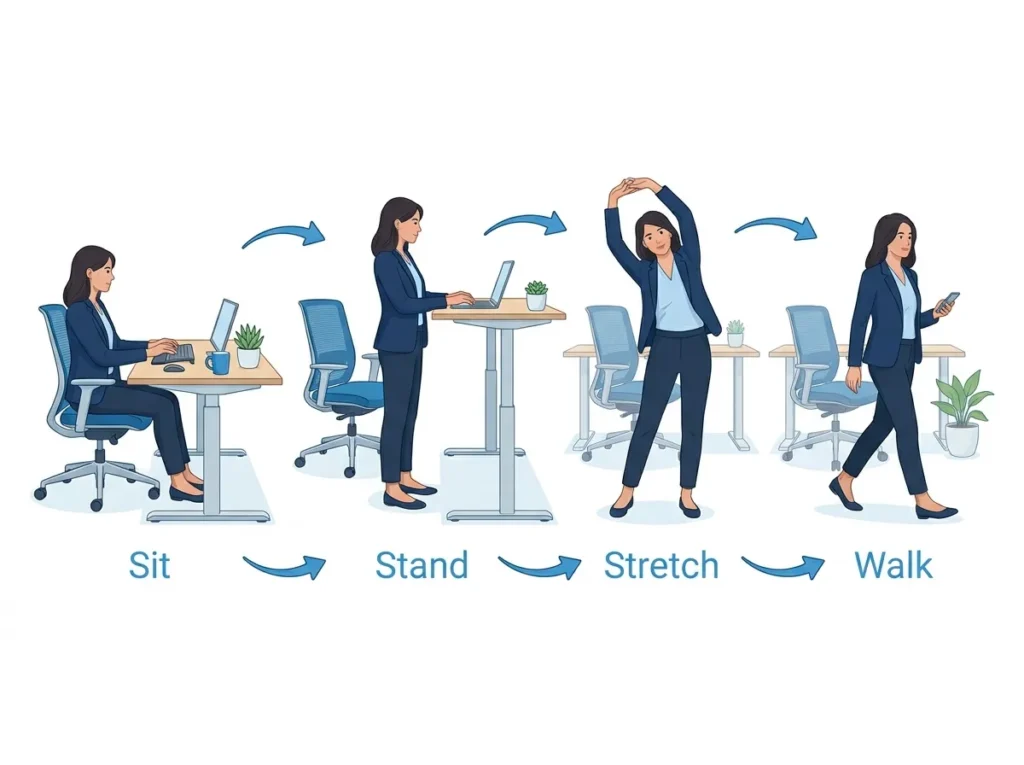
Instead of chasing perfect posture, follow a rhythm.
The 45–15 Rule
45 minutes sitting
15 minutes standing or moving
Or at minimum:
Stand every 30–60 minutes.
Movement reduces cumulative spinal compression and restores circulation.
Your spine thrives on variability.
Common Desk Sitting Mistakes
See if these feel familiar:
- Sitting on the edge of the chair
- Crossing one leg underneath you
- Leaning toward the screen
- Slouching during calls
- Resting wrists on sharp desk edges
Posture breakdown happens gradually.
Awareness alone improves half the issue.
A Simple 60-Second Reset
If you’ve been sitting a while:
- Stand up.
- Reach overhead.
- Gently arch backward.
- Take five slow breaths.
- Walk briefly.
That small extension counters hours of forward flexion.
You don’t need complexity.
You need consistency.
When Posture Alone Isn’t Enough
If you experience:
- Persistent lower back pain
- Radiating leg discomfort
- Numbness or tingling
- Night pain
Seek medical evaluation.
Ergonomic correction reduces strain but it does not replace professional care when symptoms persist.
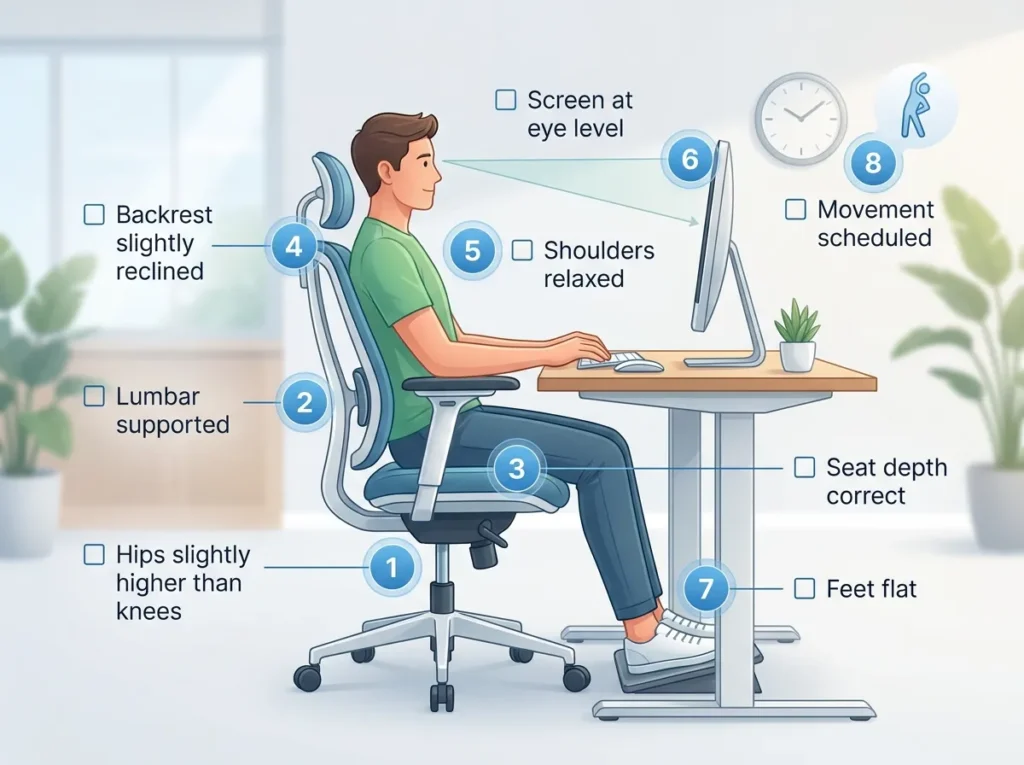
Daily Desk Setup Checklist
☐ Hips slightly higher than knees
☐ Lumbar supported
☐ Seat depth correct
☐ Backrest slightly reclined
☐ Shoulders relaxed
☐ Screen at eye level
☐ Feet flat
☐ Movement scheduled
You don’t need rigid posture.
You need repeatable alignment.
Final Thought
Learning how to sit properly at a desk isn’t about sitting stiffly all day.
It’s about:
- Neutral alignment
- Proper support
- Reduced compression
- Regular movement
Modern work demands more sitting than the human body prefers.
Ergonomics is simply how you adapt intelligently.
Start with chair height.
Then lumbar support.
Then movement.
Most people feel improvement faster than they expect.