


Working from home sounds comfortable.
Until your lower back starts tightening by 2 p.m.
Your shoulders creep toward your ears.
And your neck feels stiff every time you stand up.
The truth is, most home office setups weren’t designed with ergonomics in mind. They were improvised.
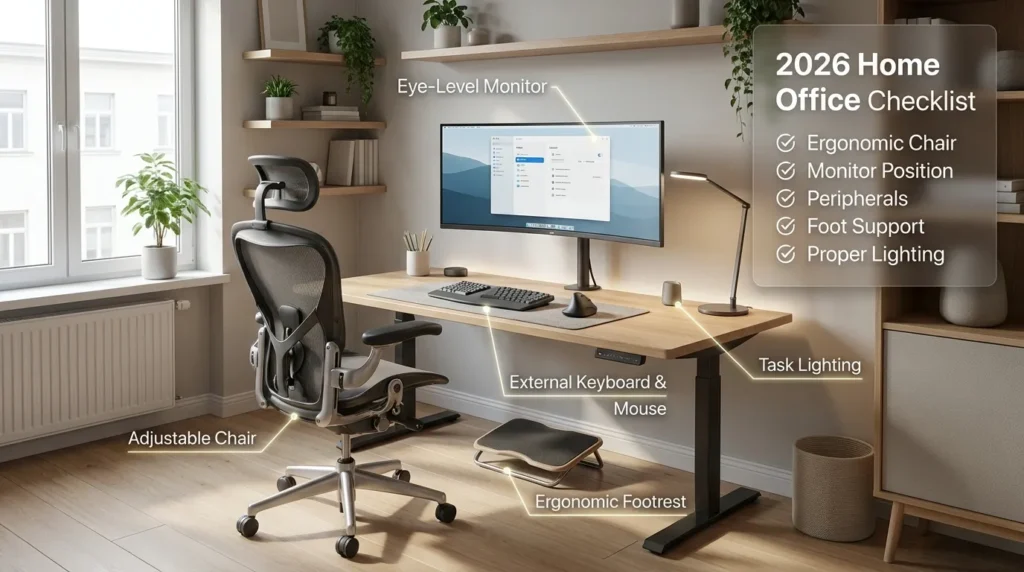
An ideal home office ergonomic setup includes an adjustable chair with lumbar support, a desk at elbow height, a monitor at eye level, feet flat on the floor, and regular movement breaks every 30–60 minutes. These adjustments help reduce back, neck, and shoulder strain during prolonged computer work.
Why Ergonomics at Home Matters
Prolonged sitting and poorly aligned workstations increase musculoskeletal strain over time.
The CDC emphasizes the importance of reducing sedentary time and incorporating movement throughout the workday.
Meanwhile, OSHA’s computer workstation guidance highlights proper seating, monitor height, and arm positioning as key to preventing strain.
In short: Your home setup directly affects your spine.
Let’s fix it.
The Complete Home Office Ergonomic Setup Checklist (2026)
Work through this step by step.
1️⃣ Chair Setup
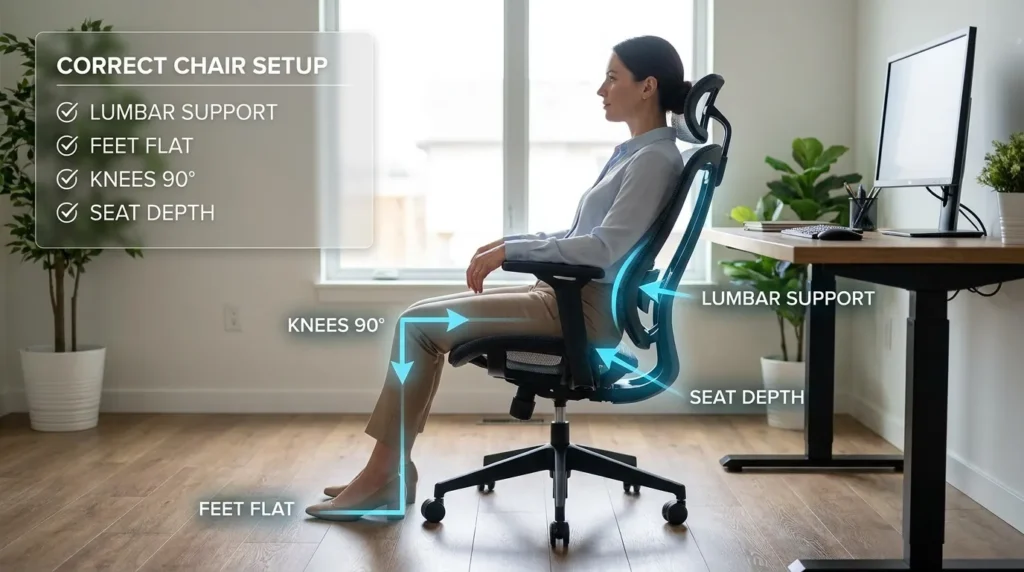
Your chair is the foundation.
☐ Seat height adjusted so hips are slightly higher than knees
☐ Feet flat on the floor (or supported with a footrest)
☐ Lower back supported at belt-line height
☐ Seat depth allows 2–3 finger widths behind knees
☐ Backrest reclined slightly (100–110 degrees)
☐ Armrests support elbows at 90–100 degrees
If your chair lacks lumbar adjustability or seat depth control, that’s often where problems begin.
Research indexed in PubMed consistently shows that lumbar support and reclined sitting reduce spinal disc pressure compared to unsupported posture.
Support reduces fatigue.
Fatigue reduction prevents pain.
2️⃣ Desk Height & Arm Position
Your desk height determines shoulder strain.
☐ Elbows rest at 90–100 degrees
☐ Shoulders relaxed (not elevated)
☐ Wrists neutral — not bent upward
☐ Forearms parallel to the floor
If your desk is too high, your shoulders creep upward.
Too low, and you lean forward.
Small height mismatches create large problems over time.
3️⃣ Monitor Position
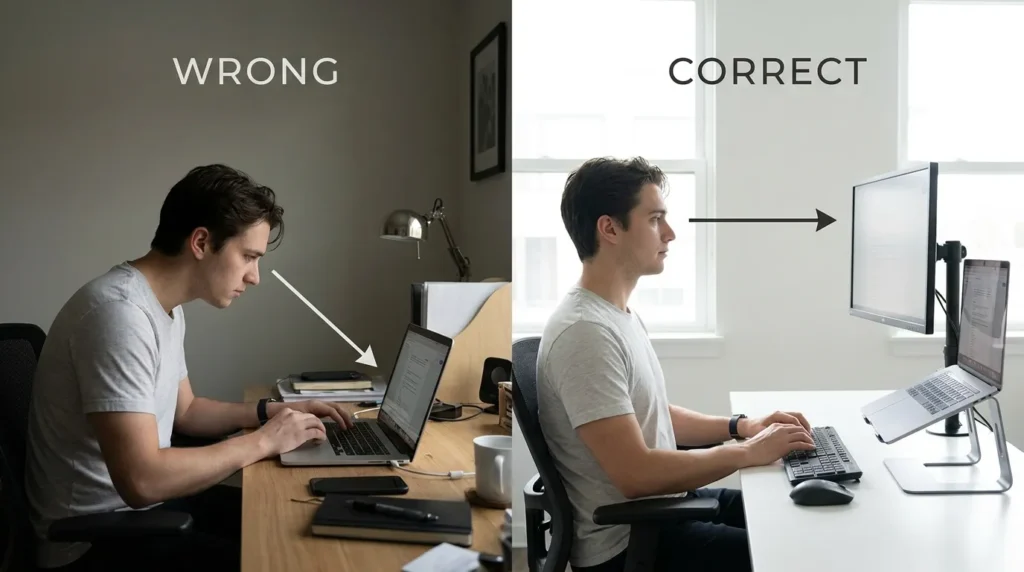
Laptop-only setups are the most common home office mistake.
☐ Top of monitor at eye level
☐ Screen approximately arm’s length away
☐ Monitor directly in front of you
☐ No downward neck tilt for long periods
The National Institute for Occupational Safety and Health (NIOSH) reinforces neutral head and neck alignment during computer work to reduce strain.
If you use a laptop:
Use an external keyboard and raise the screen.
Your neck will thank you.
4️⃣ Keyboard & Mouse Placement
☐ Keyboard centered with your body
☐ Mouse close to keyboard
☐ No overreaching
☐ Wrists floating lightly not pressing into hard edges
Excessive reach forces shoulder and upper back compensation.
That compensation eventually affects lower back posture too.
Ergonomics is a chain reaction.
5️⃣ Foot Position
It sounds minor — it isn’t.
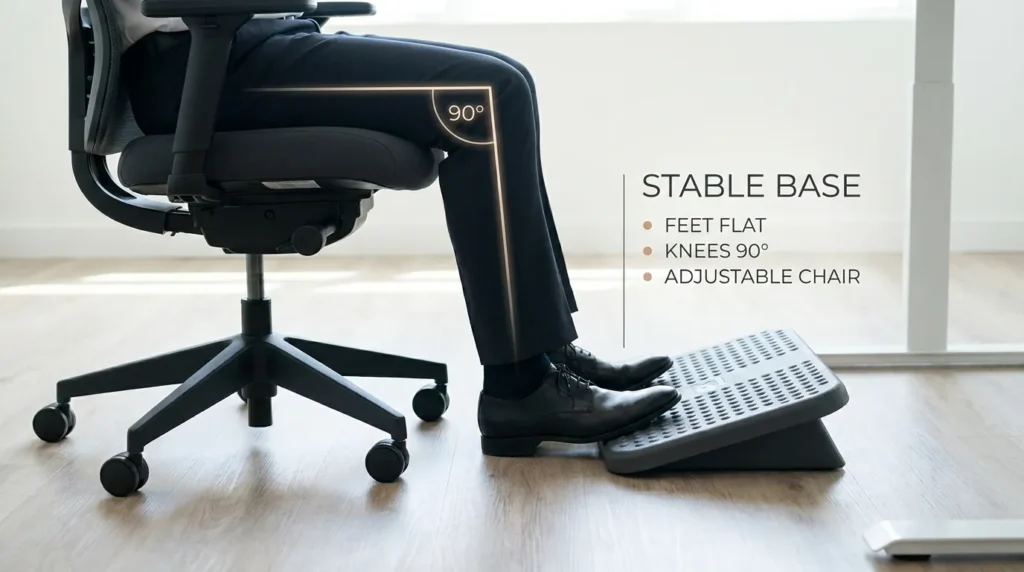
☐ Feet fully supported
☐ No dangling
☐ No prolonged cross-leg sitting
☐ No tucking feet under chair
If your feet don’t touch the ground comfortably, use a footrest.
Stable base = stable pelvis = supported spine.
6️⃣ Lighting & Screen Glare
Poor lighting changes posture.
☐ No glare on screen
☐ Monitor positioned perpendicular to windows
☐ Adequate task lighting
☐ No leaning forward to see text
Leaning forward repeatedly increases spinal load.
Adjust lighting before adjusting posture.
7️⃣ Movement Plan (Most Important)
Even perfect posture becomes uncomfortable if held too long.
The CDC strongly recommends breaking up sedentary time with movement.
☐ Stand every 30–60 minutes
☐ Walk briefly during calls
☐ Stretch hip flexors daily
☐ Perform glute activation exercises weekly
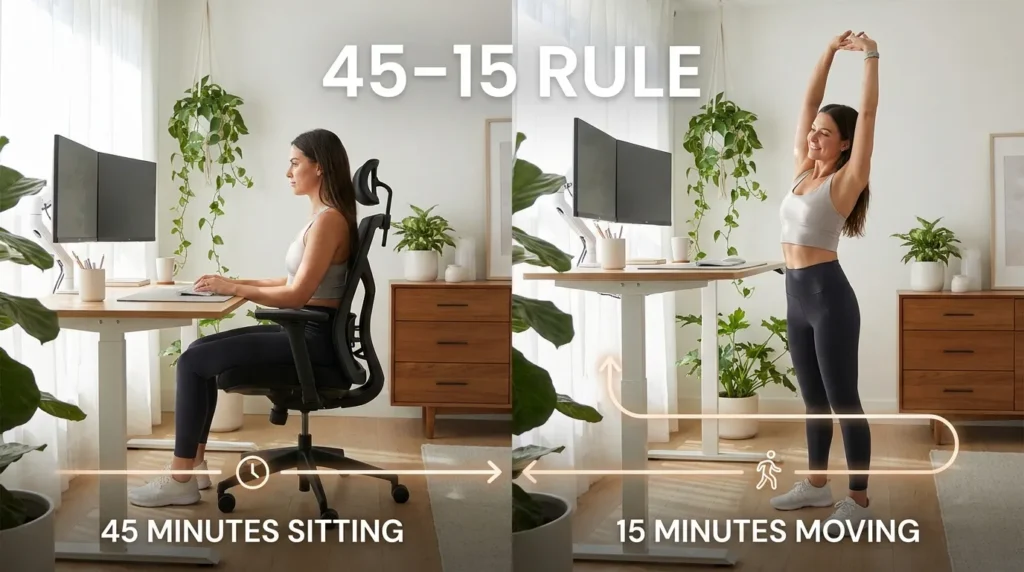
Try the 45–15 rule:
45 minutes sitting
15 minutes standing or moving
Movement reduces cumulative compression.
Common Home Office Mistakes
Be honest—do any of these apply?
- Working from a couch
- Using a dining chair without back support
- Laptop screen below eye level
- Sitting on a bed
- No dedicated workstation
- Ignoring discomfort until evening
Temporary setups become permanent faster than expected.
Your spine adapts, not always in a good way.
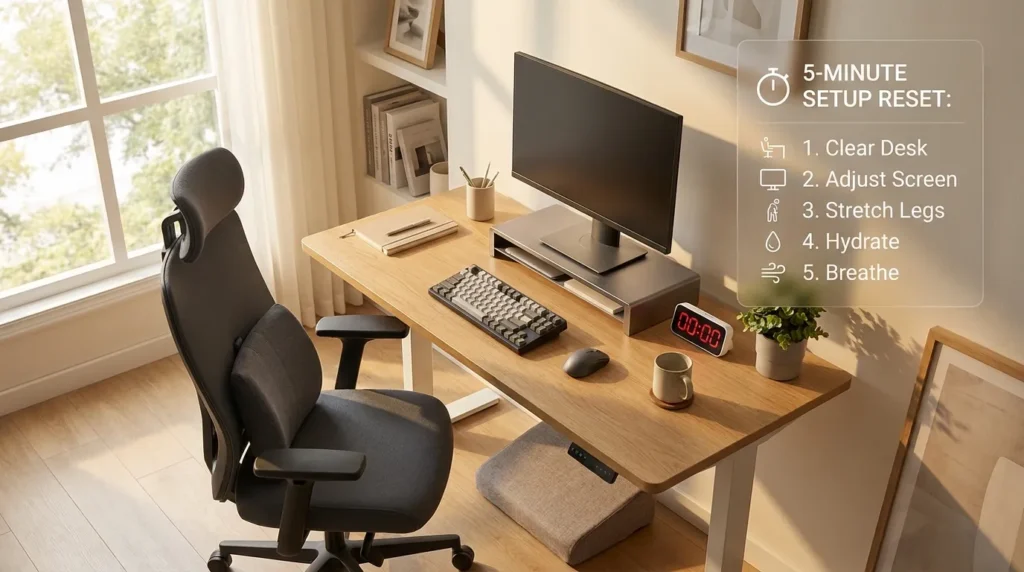
Quick 5-Minute Setup Reset
If you want a fast improvement today:
- Raise your screen to eye level.
- Adjust chair height so hips are slightly above knees.
- Add lumbar support at belt-line level.
- Relax shoulders and adjust armrests.
- Set a timer to stand every 45 minutes.
Most people notice improvement within days of making these changes.
When to Upgrade Your Equipment
You may need better equipment if:
- Your chair has no lumbar support
- Seat depth is fixed and too long
- Desk height is non-adjustable
- You experience daily lower back fatigue
Adjustability matters more than aesthetics.
If you’re dealing with recurring lower back pain from sitting all day, upgrading your chair and monitor position usually has the biggest impact first.
The 2026 Ergonomic Standard Mindset
The modern home office should include:
- Adjustable chair
- Proper monitor height
- External keyboard (if using laptop)
- Stable foot support
- Movement schedule
Not luxury.
Just alignment.
Final Thought
Your home office doesn’t need to look like a corporate headquarters.
It just needs to support your spine.
Ergonomics isn’t about perfect posture.
It’s about reducing unnecessary strain day after day.
Small adjustments compound.
And in most cases, that’s all your back really needs.
FAQ
How should I set up an ergonomic home office?
Adjust your chair so your feet rest flat on the floor, position your monitor at eye level, keep your elbows at 90–100 degrees, and take regular movement breaks throughout the day.
What is the correct monitor height for a home office?
The top of the monitor should be at or slightly below eye level and about an arm's length away.
How often should I take breaks while working from home?
Stand, stretch, or walk every 30–60 minutes to reduce muscle fatigue and spinal compression.
Can a home office setup cause back pain?
Yes. Poor chair support, incorrect desk height, and improper monitor placement can contribute to back, neck, and shoulder pain.
Do I need an ergonomic chair for working from home?
An ergonomic chair with adjustable lumbar support, seat height, and recline can improve comfort and reduce strain during long workdays.
Is a laptop alone ergonomic?
Not for prolonged use. Pair a laptop with an external keyboard and mouse, and raise the screen to eye level using a laptop stand or monitor riser.