


If you spend long hours at a desk, whether for remote work, creative projects, or office tasks, the right ergonomic chair can make a huge difference in how your lower back feels at the end of the day.
Ergonomic chairs help maintain neutral spine alignment, reduce pressure on lumbar discs, and encourage dynamic sitting, all key to reducing strain and preventing chronic pain. According to the Mayo Clinic, proper seating helps support the lower spine and lessens muscular fatigue, which is a big contributor to desk-related discomfort (source).
Below are top-rated ergonomic chairs across price ranges and use-case scenarios.
🥇 Best Overall Ergonomic Chair
Herman Miller Aeron Chair
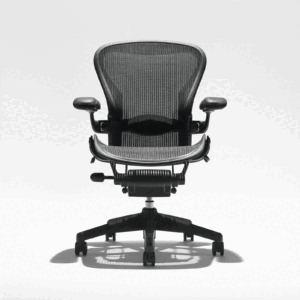
Why It’s Great:
- PostureFit SL system helps cradle sacrum and lumbar regions
- Breathable mesh promotes airflow and comfort
- Multiple size options fit various body types
Best For:
Professionals working 8+ hours daily who want long-term spine support.
Note:
This chair is an investment. But its durable design and ergonomic features—including balanced tilt, adjustable arms, and lumbar support make it worth it for serious comfort-seekers. Experts often cite it as the benchmark for long-term ergonomic seating due to its refined biomechanics and pressure distribution. (Aeron Chair - Office Chairs - Herman Miller)
🪑 Best for Dynamic Lumbar Support
Steelcase Leap V2 Ergonomic Chair
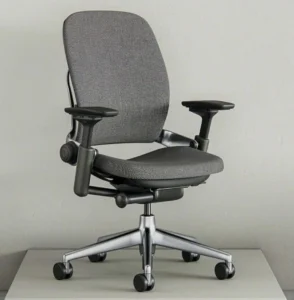
Why It’s Great:
- Dynamic lumbar support flexes with you as you move
- Seat and backrest move independently for continuous support
- Deep adjustability for almost all body types
Best For:
Users who frequently shift posture throughout the day.
Unlike static lumbar systems, the LiveBack technology adjusts as your spine moves, keeping lower back supported even when changing sitting positions. Leap Office Chair & Workspace Seating | Steelcase
💺 Best Premium Comfort & Style
Humanscale Freedom Headrest Chair
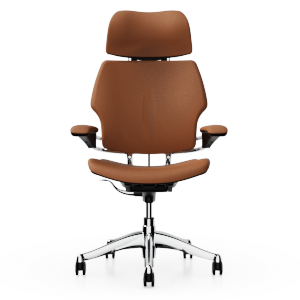
Why It’s Great:
- Self-adjusting recline is intuitive and support-focused
- Built-in headrest adds upper support
- Minimal manual adjustment needed
Best For:
Users who want premium comfort with fewer manual tweaks.
The counterbalance mechanism ensures that support evolves with your body’s posture — great for people who dislike complicated levers. Ergonomic Executive Chair with Headrest | Humanscale
💡 Best Balance of Features & Price
Branch Ergonomic Chair
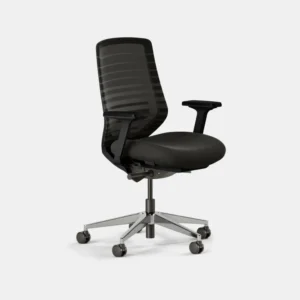
Why It’s Great:
- Mid-range price with thoughtful ergonomic design
- Mesh back combines breathability with gentle lumbar contouring
- Multiple adjustment points
Best For:
Home office workers seeking solid support without premium pricing.
This chair often appears in tested ergonomic picks because it delivers adjustability and daily comfort at a more accessible price point. Ergonomic Chair | Ergonomic Office Chair | Branch
🪑 Best Value Chair With Solid Support
SIHOO Doro C300 Ergonomic Office Chair
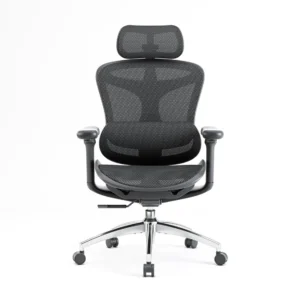
Why It’s Great:
- Breathable mesh back with dynamic lumbar support
- 3D adjustable headrest and 6D armrests
- Great comfort even in budget-friendly range
Best For:
Anyone on a moderate budget who still wants adjustable support.
Build quality and comfort make this a standout in its category, especially compared to other chairs below the same price point. Sihoo Doro C300 Advanced Ergonomic Office Chair with Advanced Back Support – Official US Sihoo Store
🪑 Best Budget Ergonomic Chair
Sihoo M18 Ergonomic Office Chair
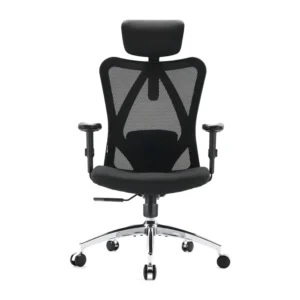
Why It’s Great:
- Adjustable lumbar support and 2D armrests
- Breathable mesh and foam-padded seat
- Excellent value for price
Best For:
Budget-conscious buyers who still want effective lumbar relief.
This chair consistently ranks among top choices for lower back support in budget chairs due to its adjustable features and comfortable design. Sihoo M18 Ergonomic Office Chair with Soft Cushion & Spine Support – Official US Sihoo Store
🧠 How We Tested (Quick Breakdown)
We looked at:
- Lumbar adjustability—Can the chair support your lower back curve?
- Adjustments available—seat height, depth, armrest flexibility
- Build quality & durability
- Comfort over long sessions
- Real user feedback & expert recommendations
Multiple sources confirm that dynamic lumbar support and adjustability are among the most important features for reducing back pain, more so than just material or aesthetics.
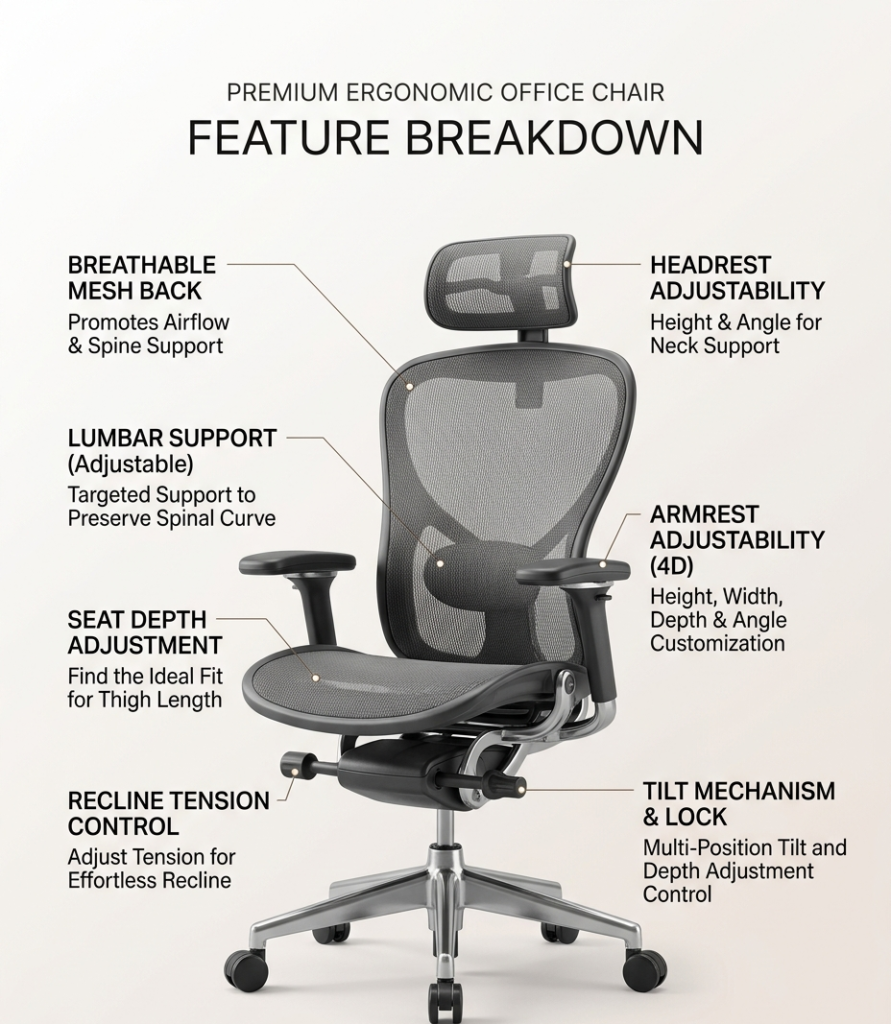
🪑 What to Look for in an Ergonomic Chair
Before you decide:
- Adjustable lumbar support—allows precise lower-back alignment
- Seat depth & height adjustability—matches your body dimensions
- Tilt tension & recline control—supports different postures
- Breathable materials—prevent heat buildup
- Warranty & durability—indicators of long-term value
For deeper ergonomic principles on chair fit and posture, the Occupational Safety and Health Administration provides helpful workstation guidelines.
FAQ
What chair features reduce lower back pain?
Chairs with adjustable lumbar support, seat depth, tilt control, and breathable materials offer better lower back support.
How long should I sit in an ergonomic chair before adjusting?
Your body typically adapts over 1–2 weeks. Daily adjustment and minor tweaks help fine-tune support.
Are expensive ergonomic chairs worth it?
Premium chairs often deliver better customization and durability, but budget chairs with key features can still significantly reduce pain.
Is a mesh back better than padded back?
Mesh improves airflow and often provides responsive lumbar support, though padded chairs may feel more cushioned.