


If you spend hours at a desk every day, your workspace could be silently causing back, neck, and shoulder pain.
Setting up an ergonomic desk isn’t just about buying the “right” chair or monitor; it’s about alignment, posture, and small adjustments that support your body throughout the day.
Here’s a step-by-step guide that even long-time desk workers can follow.
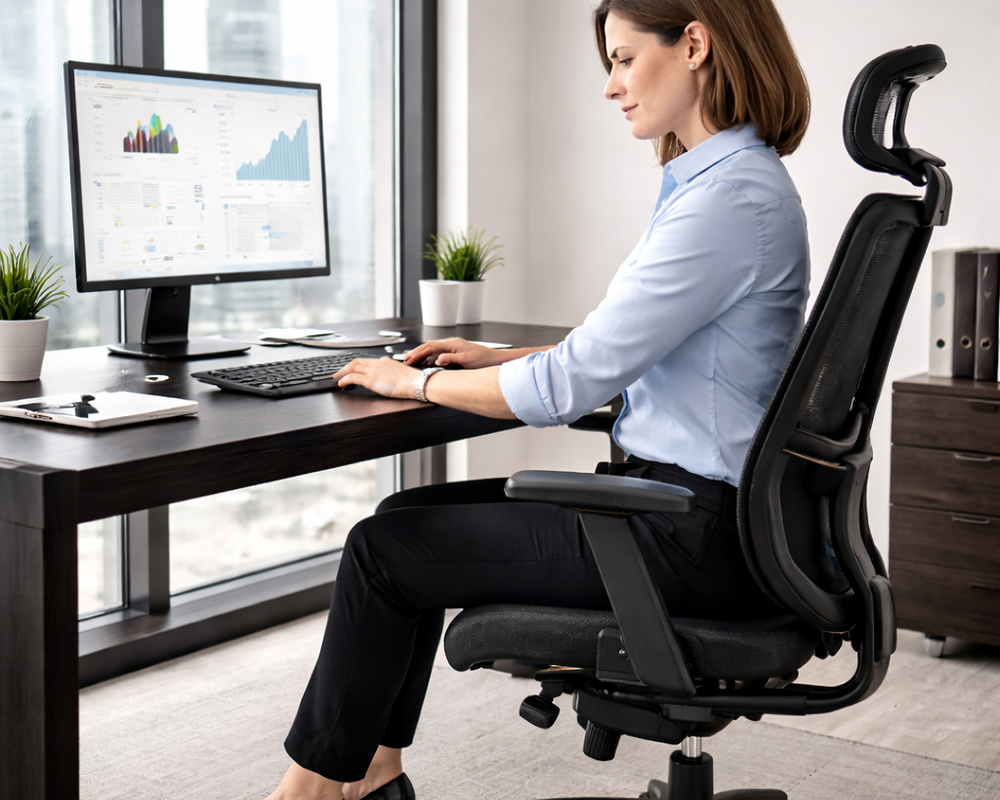
Step 1: Choose the Right Desk
- Height: Your desk should allow your elbows to sit roughly at a 90° angle when typing. Adjustable desks are ideal for alternating sitting and standing.
- Depth: You should be able to place your monitor about an arm’s length away without leaning forward.
- Stability: A sturdy desk prevents wobbling, which can lead to subtle shoulder strain.
For reference, OSHA provides official ergonomic recommendations for workstation height and setup (source).
Step 2: Select an Ergonomic Chair
Your chair is the cornerstone of a healthy desk setup. Look for:
- Adjustable seat height
- Lumbar support to maintain natural spine curve
- Adjustable armrests
- Tilt tension or recline function
According to the Mayo Clinic, proper lumbar support reduces the risk of chronic lower back pain (source).
Quick Tip: Even the most expensive chair won’t help if it’s not adjusted to your body.
Step 3: Position Your Monitor Properly
Your monitor should:
- Be directly in front of you
- Top of screen at or slightly below eye level
- Approximately 20–30 inches away (arm’s length)
This reduces neck and shoulder strain, and helps prevent leaning forward.
For research-backed guidelines on computer monitor ergonomics, see Harvard Health (source).

Step 4: Keyboard and Mouse Placement
- Keep keyboard and mouse at elbow height
- Keep wrists neutral, not bent upward or downward
- Consider a split or ergonomic keyboard if you type for long hours
- Mouse should be within easy reach, avoiding overextension
Small changes here prevent wrist and forearm strain.
Step 5: Foot Support
If your feet don’t naturally reach the floor:
- Use a footrest to keep knees at 90° or slightly higher than hips
- Keeps pelvis neutral and reduces lumbar pressure
Even simple foam footrests can improve posture and reduce fatigue.
Step 6: Add Lumbar and Posture Supports
- Lumbar cushions help maintain natural spine curve
- Seat wedges or small rolled towels can provide extra support
- These tools complement chair adjustments, not replace them
The Cleveland Clinic confirms lumbar support is a key factor in preventing lower back discomfort (source).
Step 7: Organize Desk Accessories for Ergonomics
- Keep frequently used items within easy reach
- Avoid twisting or leaning to reach your mouse, phone, or documents
- Use document holders or monitor arms for multi-screen setups
Small changes in reach distance drastically reduce neck and shoulder tension.

Step 8: Add Movement and Micro-Breaks
Even the best setup doesn’t replace movement:
- Stand or walk 1–2 minutes every 30–60 minutes
- Stretch wrists, shoulders, and hips during breaks
- Consider sit-stand desks or adjustable workstations for alternating posture
Harvard Health recommends frequent micro-breaks as a key prevention strategy for desk-related musculoskeletal strain (source).
Step 9: Lighting and Screen Adjustments
- Avoid glare on monitors
- Keep screens at eye level to reduce forward head posture
- Natural light is ideal but avoid direct sunlight on screens
- Consider task lighting for documents
Good lighting complements ergonomic posture and reduces eye strain.
Step 10: Test and Adjust Your Setup
- Sit naturally and observe posture
- Adjust monitor, chair, and accessories until your body feels relaxed
- Small tweaks often outperform new expensive equipment
Remember, ergonomics is personal. No two setups are identical.
Optional Ergonomic Upgrades
- Standing desks or desk converters
- Advanced lumbar support cushions
- Anti-fatigue mats for standing
- Adjustable monitor arms
FAQ
How high should my desk be for proper ergonomics?
Desk height should allow elbows to rest at ~90° and wrists neutral.
Do I need a special chair for ergonomic setup?
Not necessarily. Adjustable lumbar support, seat height, and armrests are key.
How often should I take micro-breaks?
Every 30–60 minutes for 1–2 minutes, ideally with light stretching.
Can lighting affect ergonomic comfort?
Yes. Proper lighting reduces eye strain and prevents leaning forward, protecting your neck and back.